Design resources
MAKE YOUR FILES PRINT-READY.
Clear guidance to make sure your artwork reaches the page as intended.
Templates and source files
We provide exact cut and fold guides for the product and size you choose.
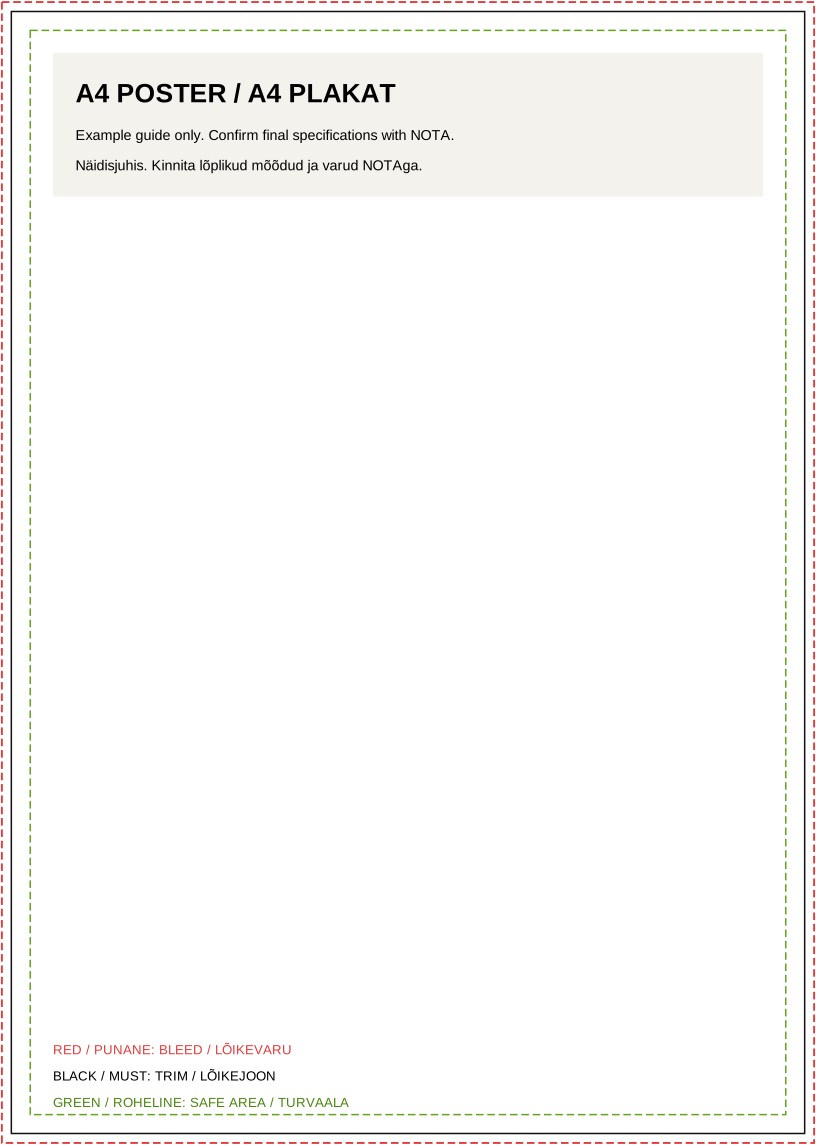
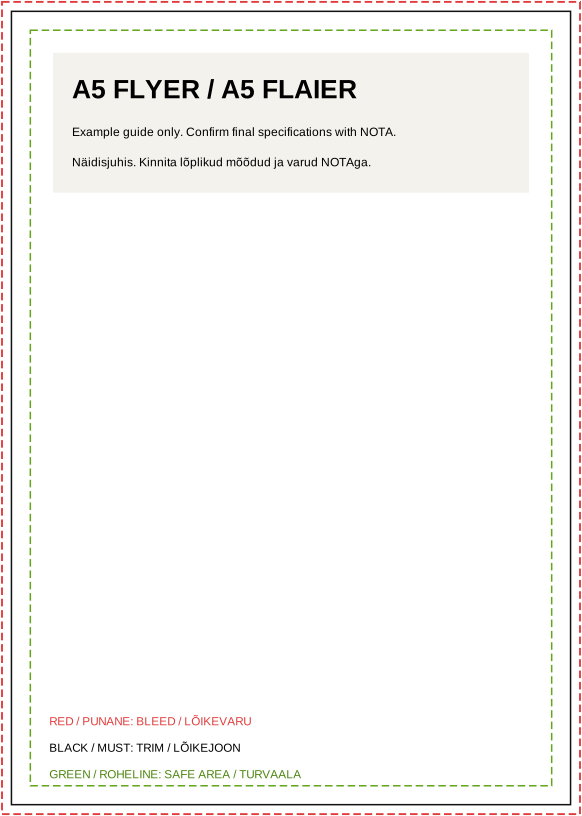
Downloads are examples, not approved production guides. Confirm bleed and dimensions before printing.
Six things to check.
Bleed
Extend backgrounds beyond the trim line. The exact bleed depends on the product; use the job-specific guide.
Trim size
Set the intended final size and check the file scale.
Safe area
Keep important text and marks away from the trim line.
Colour
Use a print-appropriate colour space and ask us about spot colours.
Images
Check image resolution at the final print size.
Fonts
Embed fonts in the PDF or outline them when needed.
Which files should you send?
A print-ready PDF is usually the best starting point. Ask us before sending another format.
Before you send a file
Common mistakes
Background stops at the trim
Text sits too close to the trim
Images lack resolution at final size
Fonts are missing from the PDF
Frequently asked questions
Which file is best for print?
A PDF with correct dimensions, bleed and embedded fonts is usually best. We can send job-specific guidance.
Can you check my artwork?
Yes. Add the file to your enquiry or contact us before confirming an order.
Do I always need a CMYK file?
CMYK is a useful starting point for many jobs. Final requirements depend on the process and substrate.